From your phone to paid.
Open your kiosk in about two minutes, put your link where your buyers already are, and let them pay by MoMo. You see who paid, for what, the moment the money arrives.

-
Open your kiosk
Sign in with your phone number and the code we text you. Take photos of your Ghana Card and a quick selfie, name your store, and your link is ready, like ama-closet.mekiosk.shop.
About two minutes, all on your phone. No registered business needed, but you must be 18 or over.
-
Add what you sell
Up to five photos per product, a price, and sizes and colours if it has them. Say how many you have of each size and MeKiosk keeps count: when a size sells out, buyers can't choose it.
Hide a product any time without deleting it, and bring it back when it's in stock.
-
Turn on payments
Add the MoMo wallet you want to be paid into. It must be in your own name: we check the name on the wallet against your Ghana Card.
Once both are confirmed, buyers can pay you. While they're being checked, your kiosk can still be visited, so you can share it and get it ready.
-
Share one link
Put your link in your bio, your status and on your counter. It never changes, so you never have to post it again.
Pick a product and MeKiosk makes a status image with its photo, price and your link, in six layouts: Photo, Price, Few left, Back in stock, New in and Your store. Closing a sale in your DMs? Make an order in the app and send the buyer its payment link.
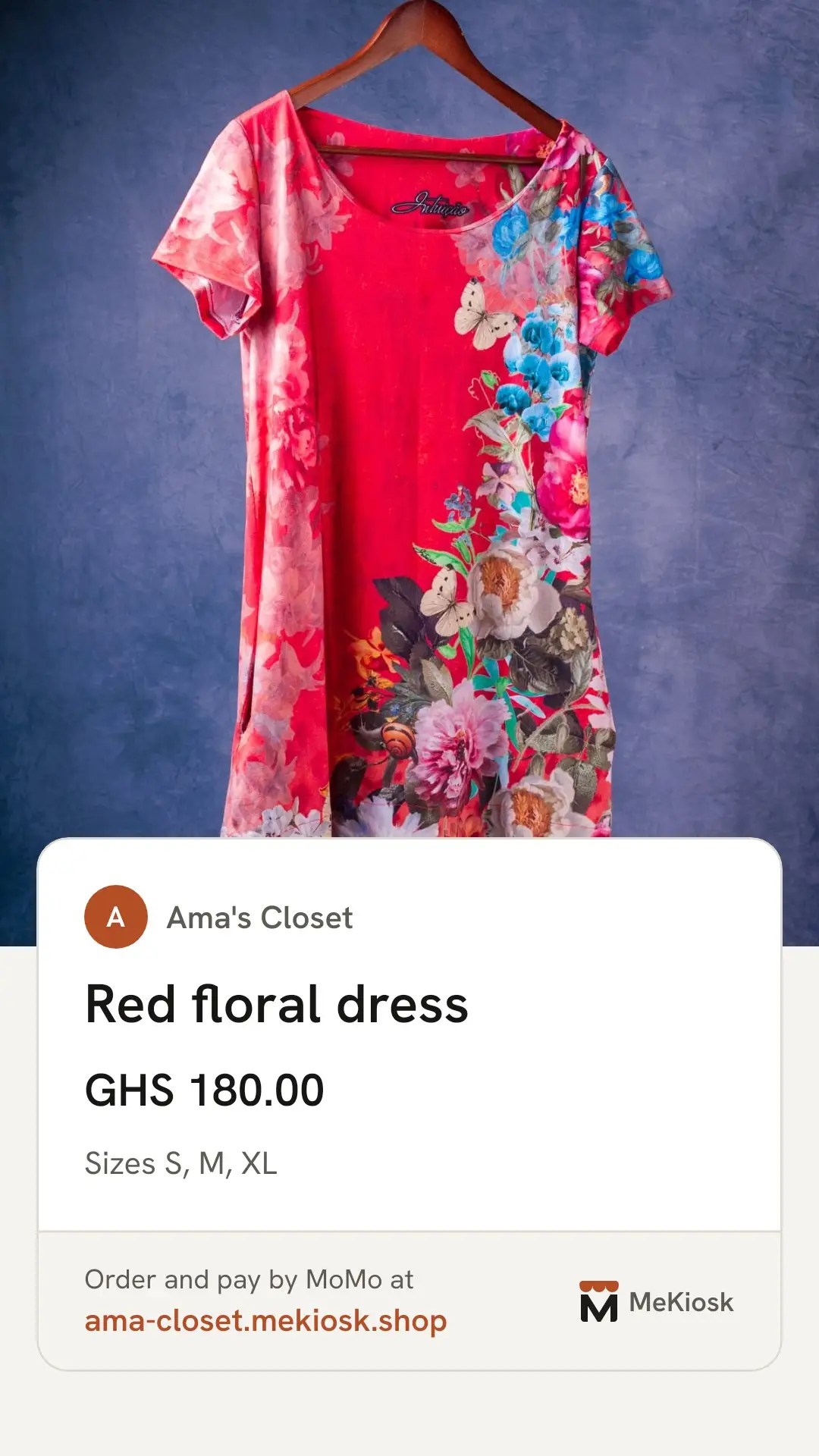
Made in the MeKiosk app, for a sample kiosk. -
Buyers pay by MoMo
They pick what they want, give their name and number, and approve a MoMo prompt on their own phone: MTN MoMo, Telecel Cash or AirtelTigo Money. No app and no account. The MoMo payment fee is added to their total, and they see it before they pay.
If the prompt doesn't come, they can pay on Paystack's own page instead. The items are held for 15 minutes while they pay, so nothing sells twice.
-
See who paid, deliver, get paid
An order turns Paid only when Paystack confirms the money, never from a screenshot or a text. You get an alert with the buyer's name and the order code.
Deliver and mark the order delivered. Your money goes to your MoMo wallet the next working day after the buyer pays. Weekend sales arrive on Monday.
Example alert from a sample kiosk, Ama's Closet.
Also in the app
- Your opening hours
- Tell buyers when you reply and deliver. Your kiosk shows whether you're open now, or when you're back.
- Close for a while
- Travelling or restocking? Close your kiosk for up to 90 days. It opens again on the day you choose, or whenever you open it yourself.
- See what sells
- Your top products by sales and by views, and the ones people keep looking at but don't buy.
- Know what your status brings
- How many people came to your kiosk from your status images in the last 7 days, and how many paid orders they brought.
- Locked to your phone
- A PIN or your fingerprint opens the app. Lost your phone? We can lock your kiosk until you prove it's you with your Ghana Card.
- Plain prices
- Each order shows what the buyer paid, the fees, and what you receive.
Open your kiosk today.
Free to open, with no monthly bill. Founding kiosks pay no MeKiosk fee for their first 3 months. Opened a kiosk? Ask us for a place.

On Android, MeKiosk isn't on Google Play yet, so we set you up for early access on WhatsApp.